
Comments can be added to alarms in the alarm search view.
-
Select alarm from the list
-
Click with the mouse in the comment field below the preview area, write the comment, and press "Save".
-
Click Save
Another way to add a comment is to start writing the comment after selecting the result list's alarm. In this case, the Enter key will save the comment.
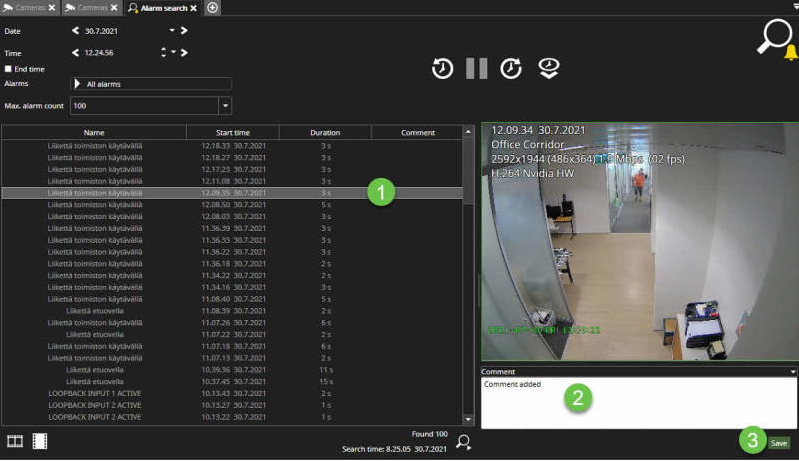
The comment is displayed on a single line in the result list and a separate Comment field below the alarm component preview area. This way, it is possible to use the Enter key to enter newline characters.