
Opening alarm from the alarm list
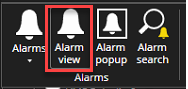
Double-click the alarm nameThe spotter will open automatically Alarm view tab
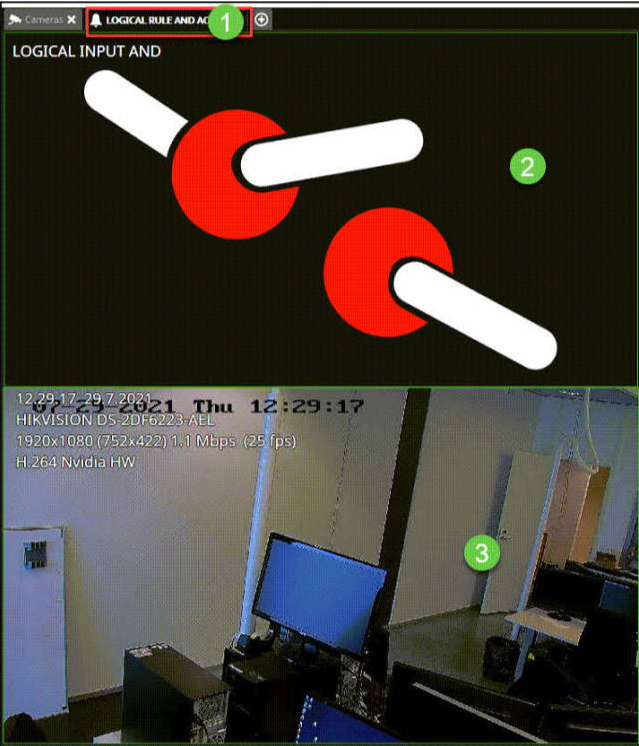
The alarm view tab shows all components, which are related to the alarm(alarm trigger and actions) when the alarm is opened from the alarm list.
-
Name of the alarm
-
Trigger of the alarm
-
All action components of the alarm
Alarm view settings can be configured from Spotter\Settings\Alarms\Alarm view
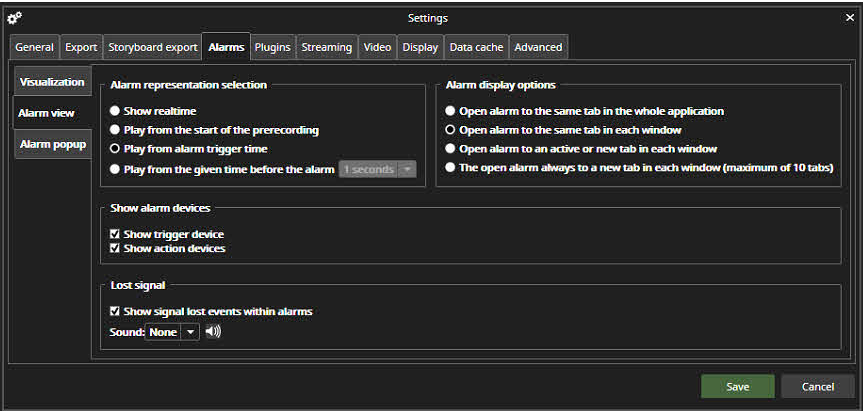
Alarm representation selection
The Alarm representation selection defines what time the alarm is being played when it is opened from the alarm list. The possibilities are:
-
Show real-time
-
Play from the start of the alarm pre-recording time
-
Play from alarm trigger time (default option)
-
Play from the given time before the alarm(1- 60 seconds)
Alarm display options
It is also possible to define how the alarm is opened. The possibilities are:
-
Open alarm to the same tab in all whole application
-
Open alarm to the same tab in each window
-
Open alarm to an active or new tab in each window
-
Open alarm always to a new tab in each window(maximum of 1 10 tabs)
Lost signal
-
Show signal lost events within alarms