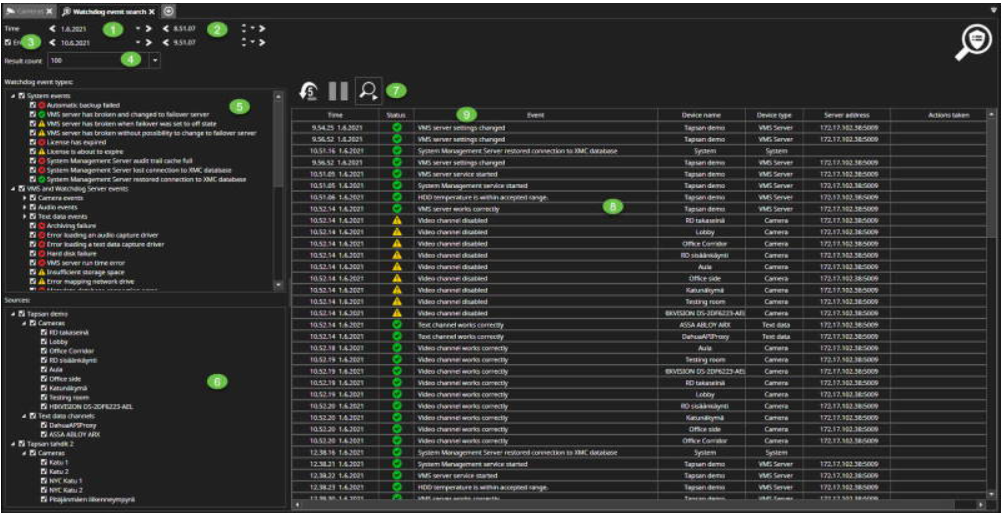
-
Click Search
-
Select Watchdog Event Search
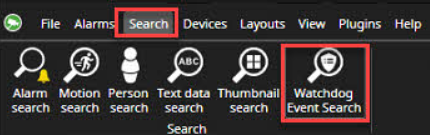
-
Select start date for the search
-
Select start time for the search
-
Set the search end time, if needed
-
Set the result count(Default 50)
-
Filter the Watchdog event types, if needed(Default all events are selected)
-
Filter the sources, if needed(Default all servers connected to the main server are enabled)
-
Start search
-
All Watchdog Events are shown in the list
-
The user can sort out the found event using header columns