-
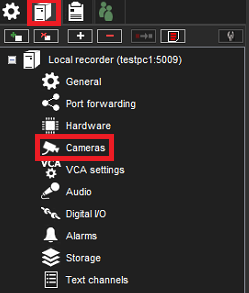
Open VMS Servers
-
Open Cameras
-
Click VCA features
-
Select LPR Camera
-
Enable Easy LPR
-
Click Save
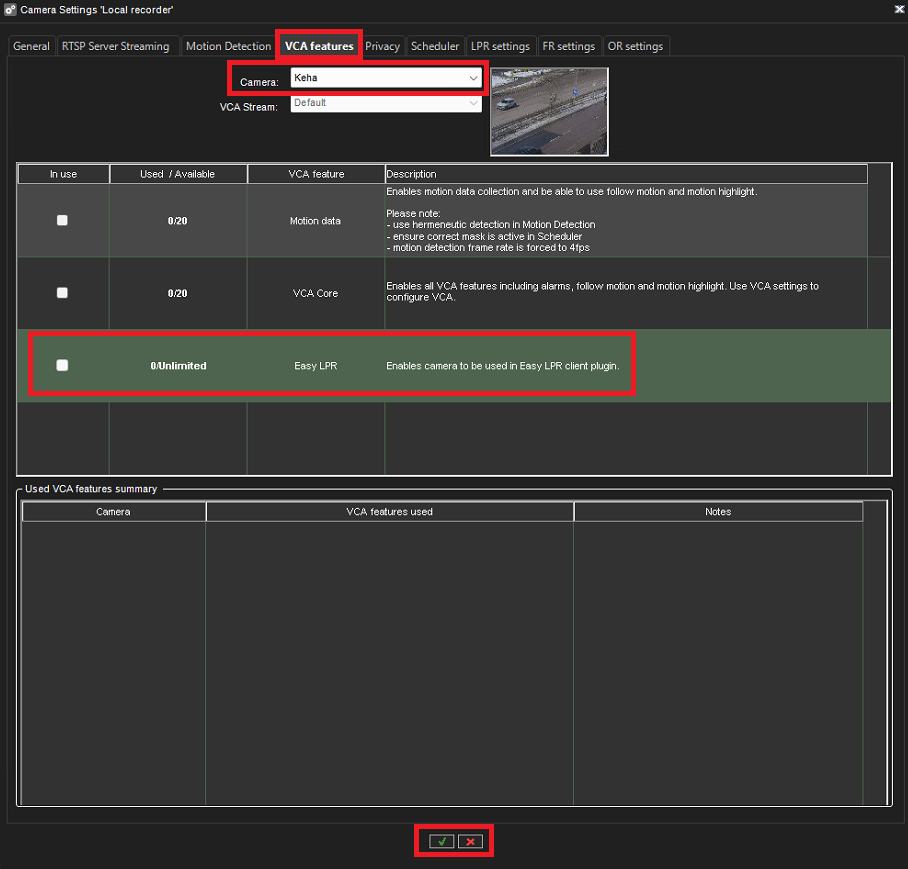
If the selected camera does not support Easy LPR, the option to mark it as “In use” is disabled.

Open VMS Servers
Open Cameras
Click VCA features
Select LPR Camera
Enable Easy LPR
Click Save
If the selected camera does not support Easy LPR, the option to mark it as “In use” is disabled.