
The Object Tracker is a motion-based detection engine. Based on changes detected in the image, the algorithm separates the image into foreground and background, tracking any foreground object that is moving above a set threshold. The Object Tracker has the following settings:
Stationary Object Hold-on Time
The Stationary Object Hold-on Time defines the amount of time an object will be tracked by the engine once it becomes stationary.
Since objects that become stationary must be "merged" into the scene after some finite time, the tracking engine will forget about objects that have become stationary after the Stationary Object Hold-on Time.
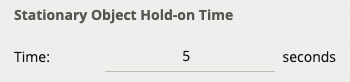
The default setting is 60 seconds.
Abandoned / Removed Object Threshold
This threshold amount of time an object must be classed as abandoned or removed before an Abandoned / Removed rule will trigger.

The default setting is 5 seconds.
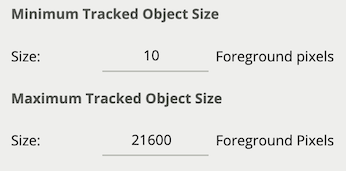
Minimum Tracked Object Size
The Minimum Tracked Object Size defines the size of the smallest object that will be considered for tracking.
For most applications, the default setting of 10 is recommended. In some situations, where extra sensitivity is required, the value can be manually specified.
While lower values allow the engine to track smaller objects, it may increase the susceptibility to false detections.
Object Tracker Sensitivity
The Object Tracker Sensitivity value allows the object tracker to be tuned to ignore movement below a certain threshold.
Combined with the Blob Map burnt in annotation, which visualizes the area of the scene the object tracker is detecting movement, this value can be adjusted to filter out environmental noise.
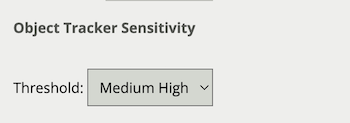
The default setting is 4.
Scene Change Detection (Object Tracker)
Learn more about Scene Change Detection.
Detection Point of Tracked Objects
For every tracked object, a point is used to determine the object's position, and evaluate whether it intersects a zone and triggers a rule. This point is called the detection point.
There are 3 modes that define the detection point relative to the object:
Automatic
In automatic mode, the detection point is automatically set based on how the channel is configured.
It selects 'Centroid' if the camera is calibrated overhead, or 'Mid-bottom' if the camera is calibrated side-on or not calibrated.
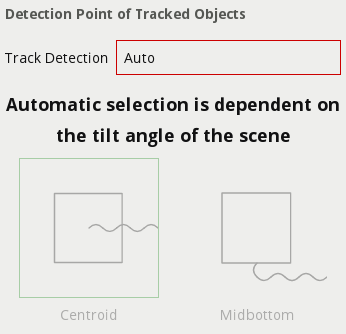
Centroid
In this mode, the detection point is forced to be the centroid of the object.
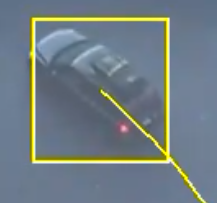
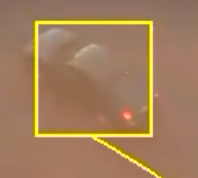
Mid-bottom
In this mode, the detection point is forced to be the middle of the bottom edge of the tracked object.
Normally this is the ground contact point of the object (where the object intersects the ground plane).
Tamper Detection (Object Tracker)
Learn more about Tamper Detection.
Loss Of Signal Emit Interval
See Loss Of Signal Emit Interval