-
Go to the VMS servers tab
-
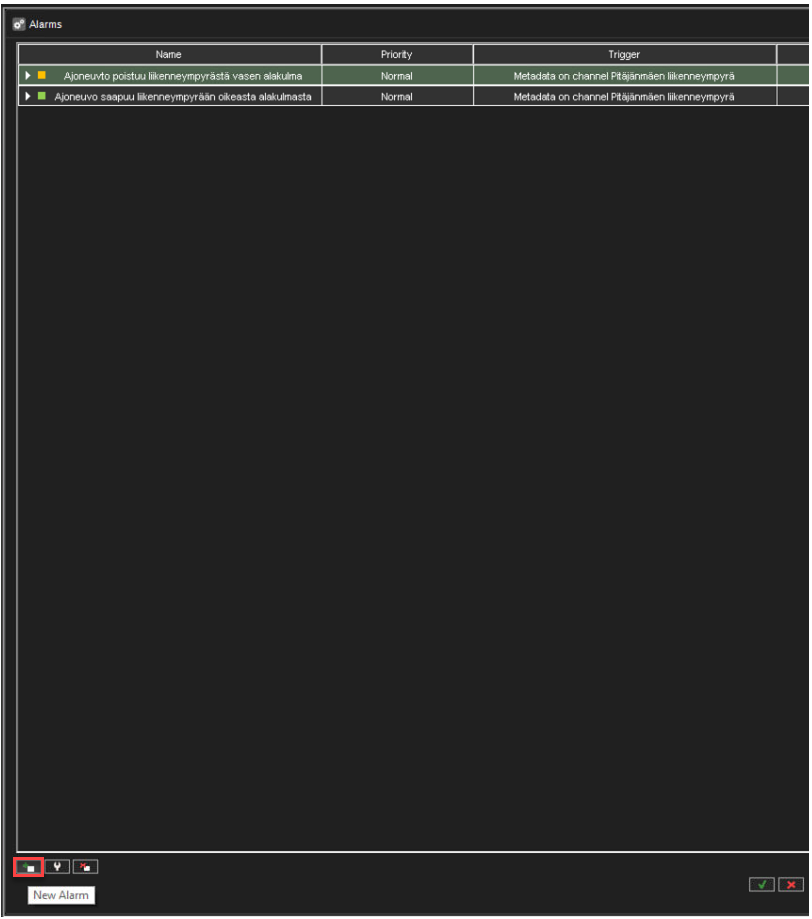
Click Alarms
-
Click New Alarm
-
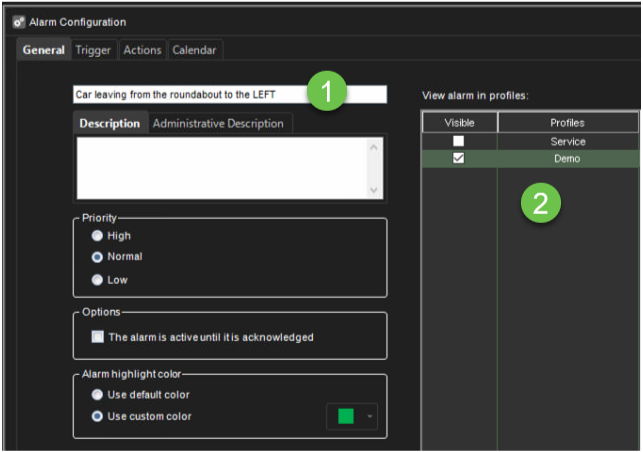
Enter the name of the alarm
-
Select the View alarm in profiles
-
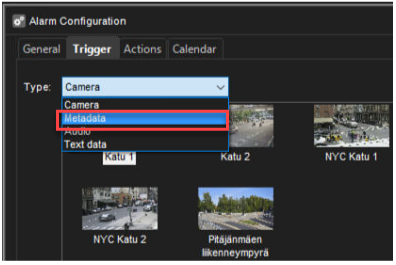
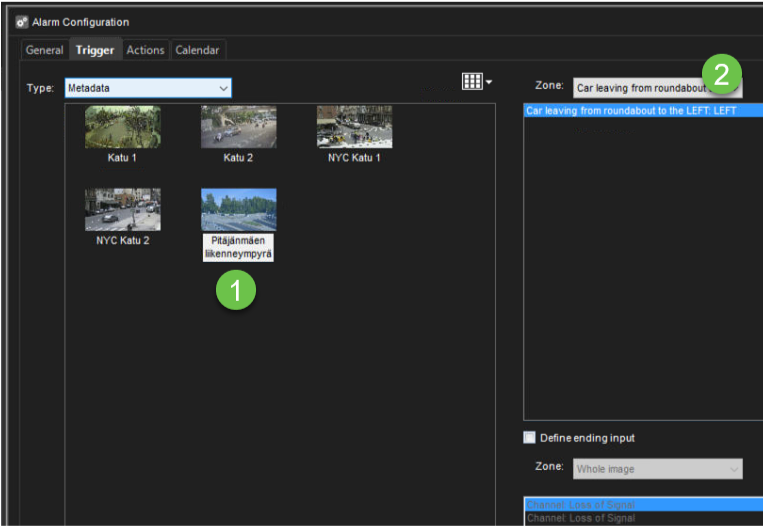
Go to the Trigger tab
-
Select Type: Metadata
-
Select the correct camera from the list
-
Select zone
-
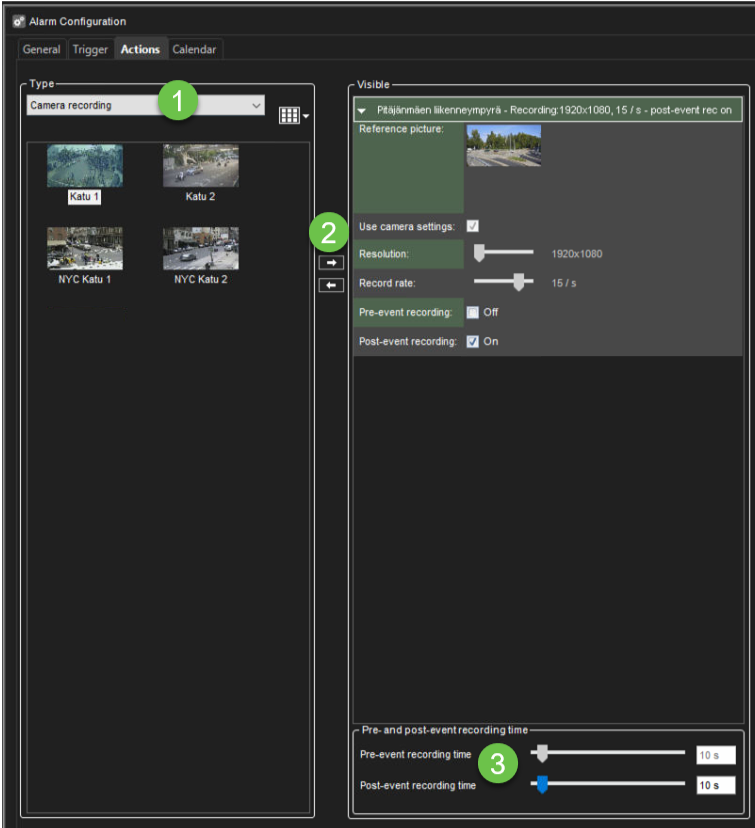
Go to the Actions tab
-
Select needed actions
-
Add them to the Visible list
-
Set Pre - and post-event recording time, if needed
-
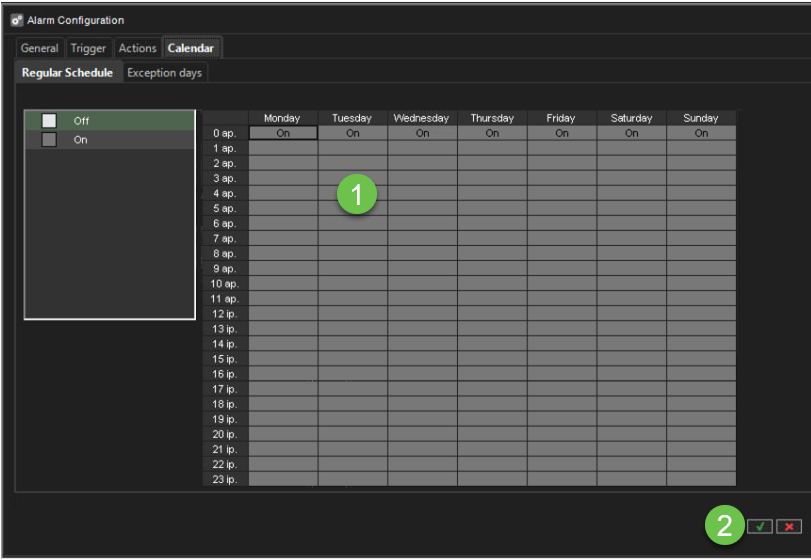
Go to the Calendar tab
-
Set alarm schedule
-
Click OK
-
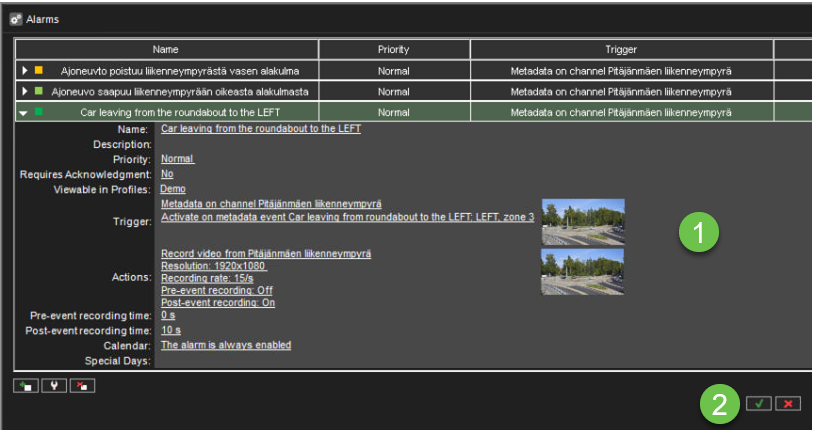
Check alarm configuration
-
Click OK to finalize alarm creation