
You can have (depending on the license) from 1 to unlimited servers in one system.
One server should not belong to more than one Main Server (SMServer).
You can specify a password for each server.
The system will prompt for the password if someone tries to add the server to another system.
To add a server to the system(recording server):
-
Open the VMS Servers tab

-
Click Add VMS Server

-
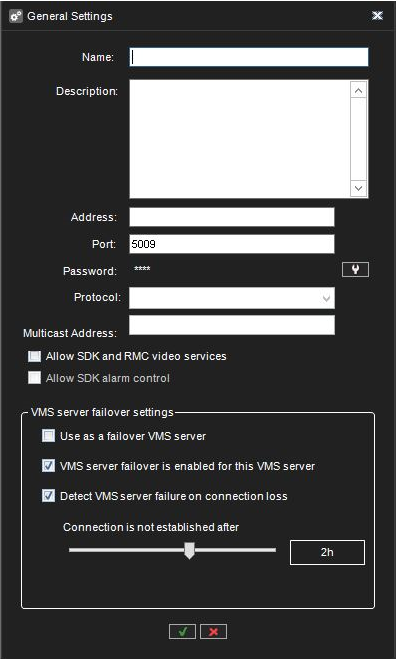
The General Settings dialogue box is shown.
-
Type name for the server
-
Enter a description, if needed
-
Type the IP address or DNS name of the server.
-
Enter the password for the server, if needed
-
Click OK. The server and the devices connected to it (cameras and audio channels) are added to the list.
-
Note: If the server is password-protected, the system prompts for the password.
-
To remove a server from the system:
-
Select the server that you want to remove.
-
Click Remove VMS Server

-
Click OK to confirm.
Connection status:
If the connection to the server is lost, the System Manager application will automatically try to connect to the server.
NOTE:
When you have added Mirasys VMS as a subserver, please do the following actions:
-
Change Admin user password using a subserver System Manager
-
Disable SMServer service from the subserver