Starting point
The main server and 1 recording subserver were added to the system
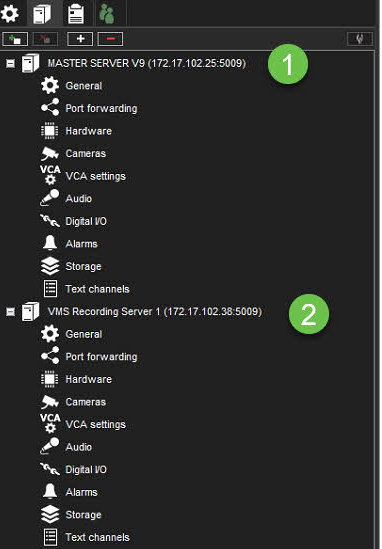
Enabling VMS failover server to the recording server
-
Open the VMS Servers tab
-
Select subserver from the list
-
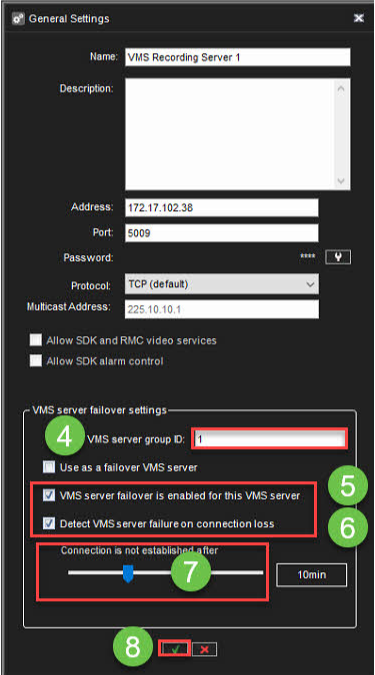
Click General
-
Define VMS server group ID(default 1)
-
Enable VMS server failover is enabled for this VMS server
-
Enable Detect VMS server failure on connection loss
-
Define value Connection is not established an after
-
Click OK
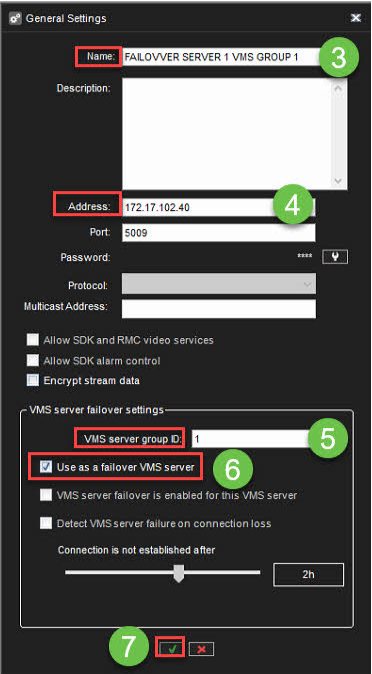
Adding FAILOVER server
-
Open the VMS Servers tab
-
Click Add VMS server
-
Set the name for the server
-
Set IP address of the server
-
Define the VMS server group ID
-
Enable Use as a failover VMS server
-
Click OK
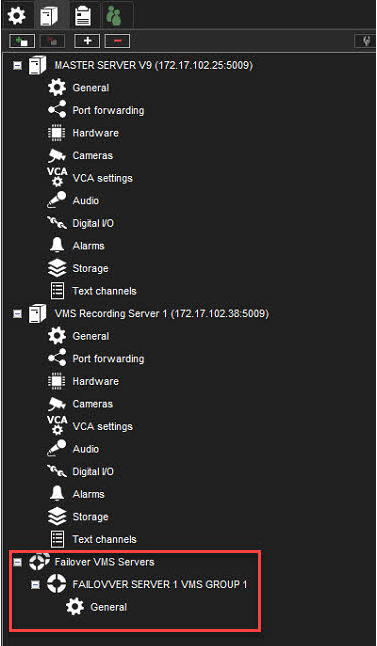
After the adding, the VMS Server tab shows Failover VMS Server line