-
Select the camera or cameras from the device tree
-
Click playback
-
Change the playback speed by clicking the playback buttons or using the playback slider
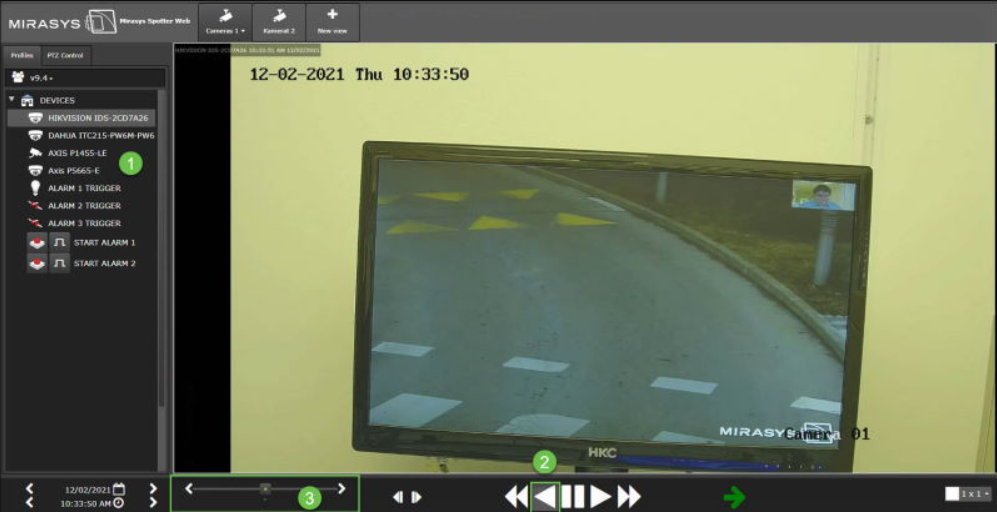
The slider shows the selected playback speed.


Select the camera or cameras from the device tree
Click playback
Change the playback speed by clicking the playback buttons or using the playback slider
The slider shows the selected playback speed.