To import a license key:
-
Click Import license from the file.
-
Browse to the license file location
-
Click OK. The new license is updated immediately.
To export a license key:
-
Click Export license key to file to create a text file for the license or Export license key to the clipboard to copy the key to the clipboard.
-
If exporting the license to a file, set the destination folder and the name of the file.
-
Click OK.
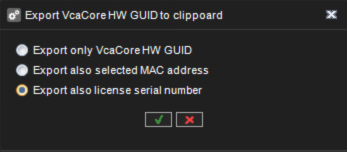
To export VCA Core HW GUID
-
Click Export VCA Core HW GUID to clipboard
-
Select Export also license serial number
-
Click Ok