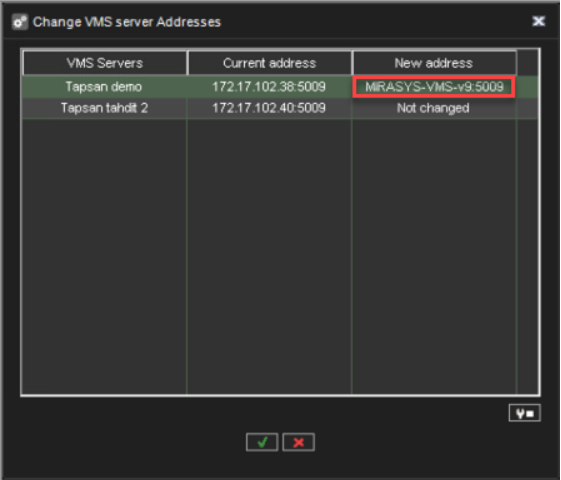
If the server will function as the Main Server of a system, and if it will be accessed over a network, you have to set the server's IP address through the System Manager application. IP address and DNS names can be modified in the Change VMS Server addresses tool.
You only need to set the local IP address for the Main Server of a system if the server can be accessed over a network. If the server is accessed locally, there is no need to set the address.
Changing a server’s IP address or DNS name:
-
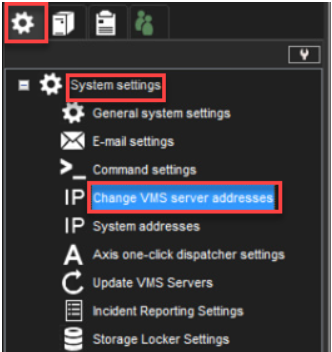
On the System tab, open Change VMS server addresses.
-
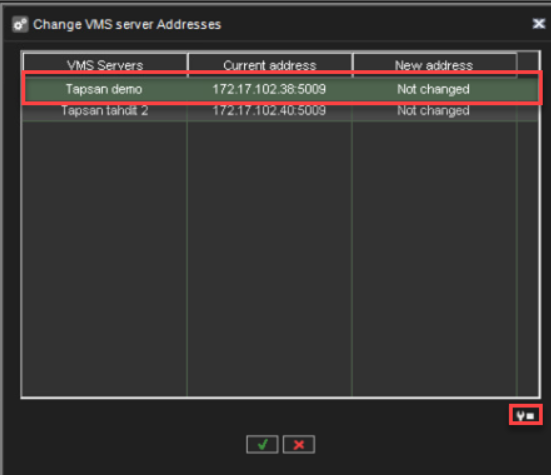
Click the server and click Change VMS Server address.
-
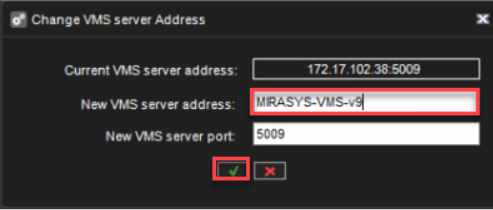
Type the new IP address or DNS name of the server into the New VMS server address field.
-
Click OK.
The changed address can be seen in the “New address” field.