
Configuring settings for viewing stations:
-
Go to the System tab in System Manager
-
Double-click on Viewing station settings
-
Click Add new Spotter view station
-
Set the name, address, and port for the station
-
Save changes
Viewing stations can be created, edited, or deleted in Viewing station settings.
Enabling sharing with viewing stations in user role settings:
-
Go to the Users and user groups tab in System Manager
-
Double-click on a user group
-
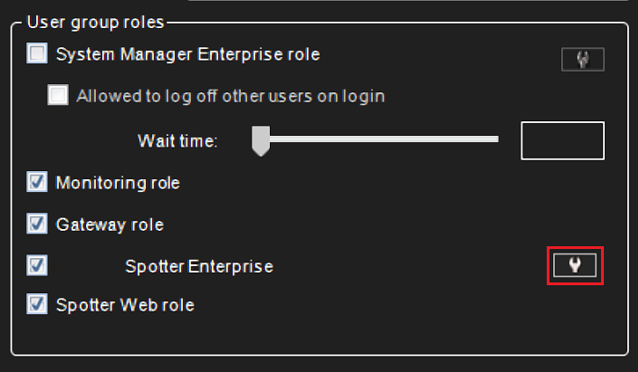
Click Edit Mirasys Spotter Enterprise role properties in the User group roles section
-
Go to the Viewing Stations tab
-
Tick the checkbox for Enable sharing with viewing stations, and select the viewing stations the operator is allowed to share with from the list
-
Save changes