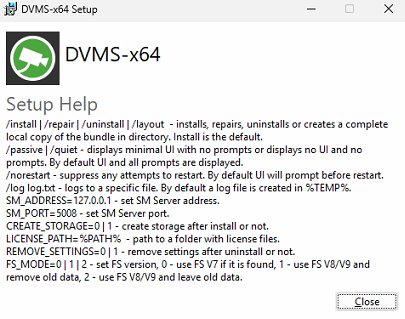
All Mirasys VMS installers can be launched from a script, and the installation parameters can be defined by using installer switches. Running any of the Mirasys VMS system installers with the switch ‘/?' or '/help’ will list all available installer switches.
Listing available installer switches:
-
Open the command prompt
-
Navigate to the directory where the installer is located
-
Type in the following command: [name of installer] /help
A pop-up window with the available switches listed will appear. The picture below shows the pop-up with switches for the VMS installer.