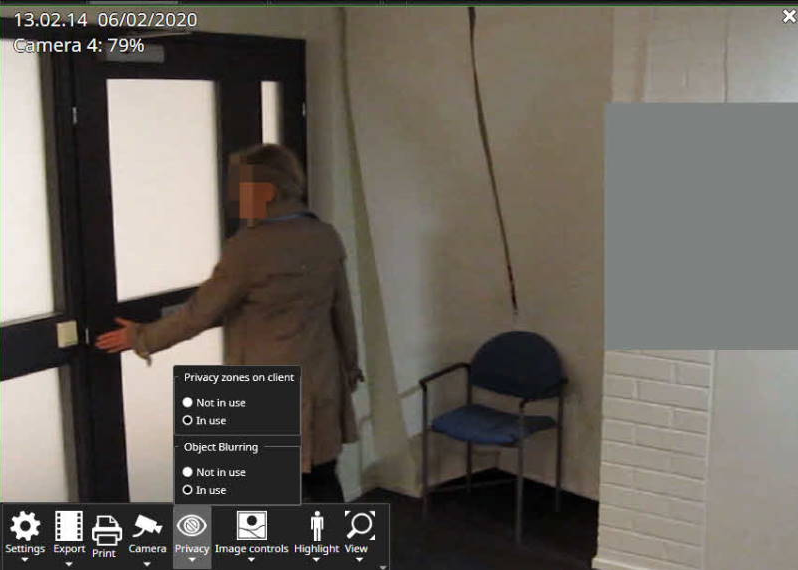
If you have been assigned sufficient permissions, you will also access the "Privacy" menu.
In here, you may be given access to turn on/off the privacy zones (if you have sufficient permissions to do this and the functionality has been enabled for the specific cameras).