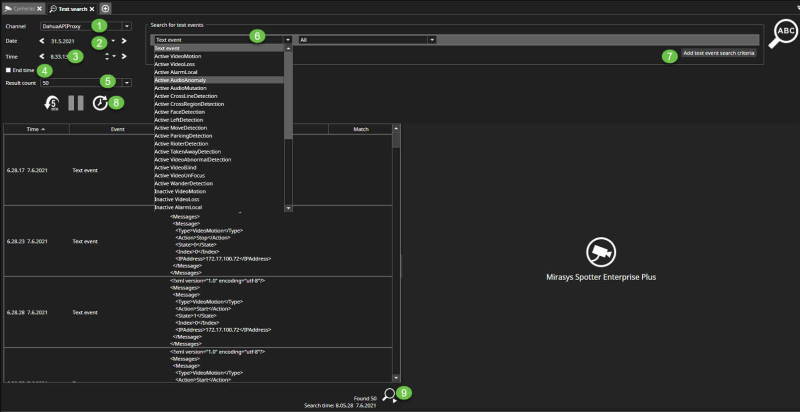
-
Select channel for the search
-
Select the search start date
-
Select the search start time
-
Select the search end time, if needed
-
Select result count(default 50)
-
Select searched event
-
Add text event search criteria, if needed
-
Start text search
-
From the lower right corner can be found the total amount of searched events