
The spotter can also be installed as part of the standard VMS installation package.
-
Start the installation by clicking Complete installation package
-
Click Install
-
Click Next
-
Use the default destination folder and click Next
-
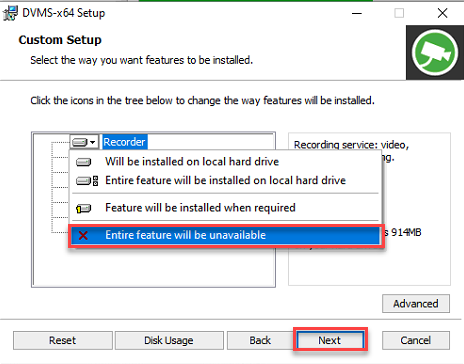
Set Recorder component to Entire feature will be unavailable
-
Click Next
-
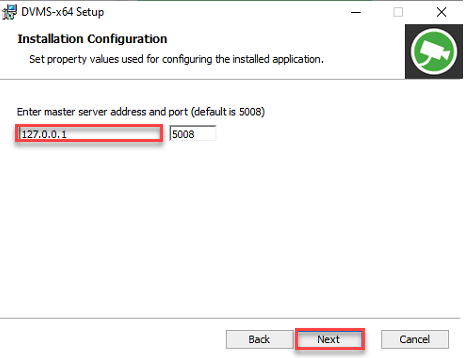
Enter the master server address and click Next
-
Click Install
-
Click Finish
-
Click Close to finalize the installation