
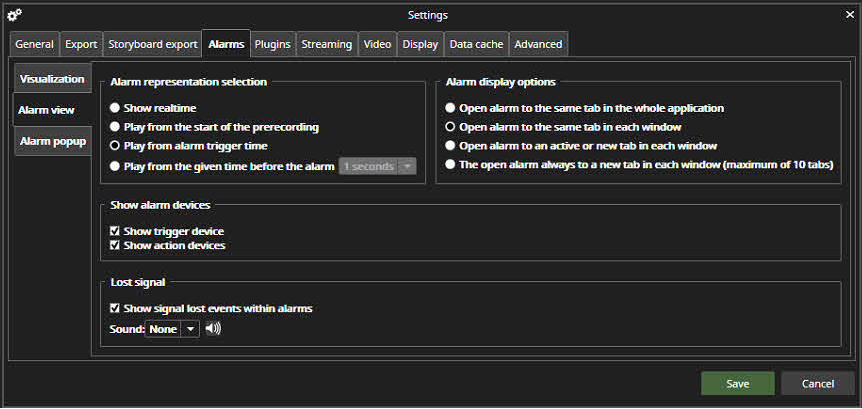
Alarm representation selection
The Alarm representation selection defines what time the alarm is being played when it is opened from the alarm list. The possibilities are:
-
Show real-time
-
Play from the start of the alarm pre-recording time
-
Play from alarm trigger time (default option)
-
Play from the given time before the alarm(1- 60 seconds)
Alarm display options
It is also possible to define how the alarm is opened. The possibilities are:
-
Open alarm to the same tab in all whole application
-
Open alarm to the same tab in each window
-
Open alarm to an active or new tab in each window
-
Open alarm always to a new tab in each window(maximum of 1 10 tabs)
Lost signal
-
Show signal lost events within alarms