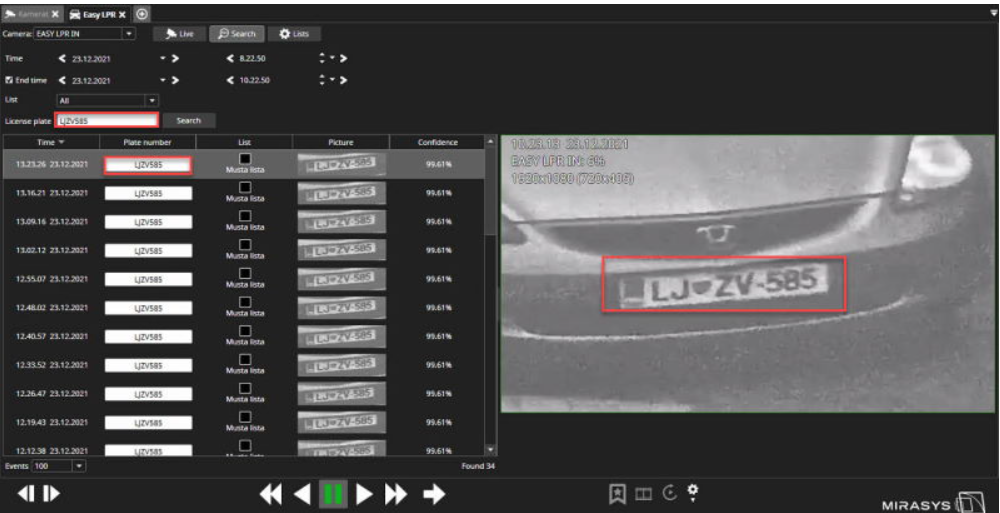
Searching License plates
-
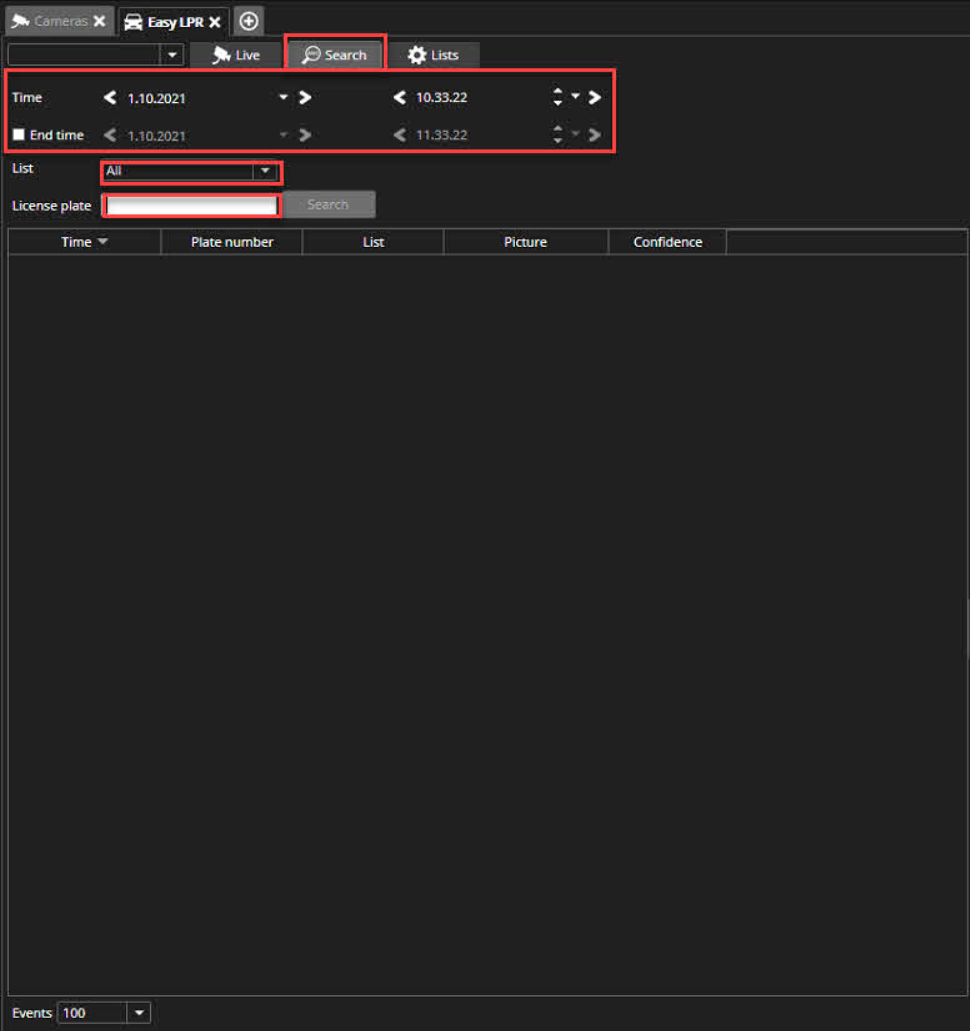
Open Search tab
-
Select LPR camera from the upper left corner
-
Select time and date
-
Enter End time, if needed
-
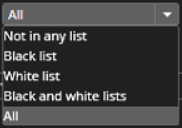
Select list for the search
-
All
-
Not in any list
-
Black list
-
White list
-
Black and white list
-
-
Enter license plate(partial information is also accepted)
-
Click Search
Search will show all results. The user can playback selected time and use all normal playback functions.