
A Main Server is the central server of a surveillance system.
All other VMS Servers connect to it, and all client applications communicate through the Main Server. During the login phase, the client applications can select the Main Server they will connect to.
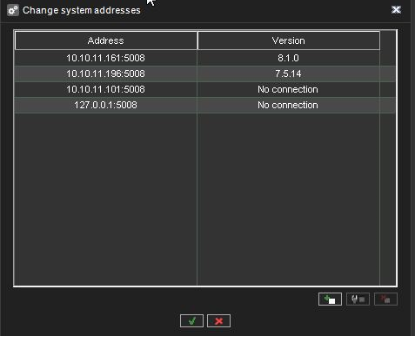
You can define multiple Main Server addresses that the client applications can connect to.
The addresses can be provided as IP addresses (e.g. http://195.168.0.1) or DNS names (e.g. http://www.example.com ).
Note: Users can connect to any of the defined Main Server addresses provided they have a compatible username and password for the Main Server.
To add a Main Server address:
-
On the System tab, open System addresses
-
Click Add new system address.

-
Type the new system address (either IP address or DNS name) to the Add field.
-
Click OK.
To edit a Main Server address:
-
On the System tab, open System addresses.
-
Click on the Main Server address with the changed IP address.
-
Click Modify system address .
-
Type the new IP address or DNS name of the DVR into the Modify system address field.
-
Click OK.
To remove a Main Server address:
-
On the System tab, open System addresses.
-
Click on the Main Server address you want to remove.
-
Click Remove system address.
