
Attributes - Vehicles
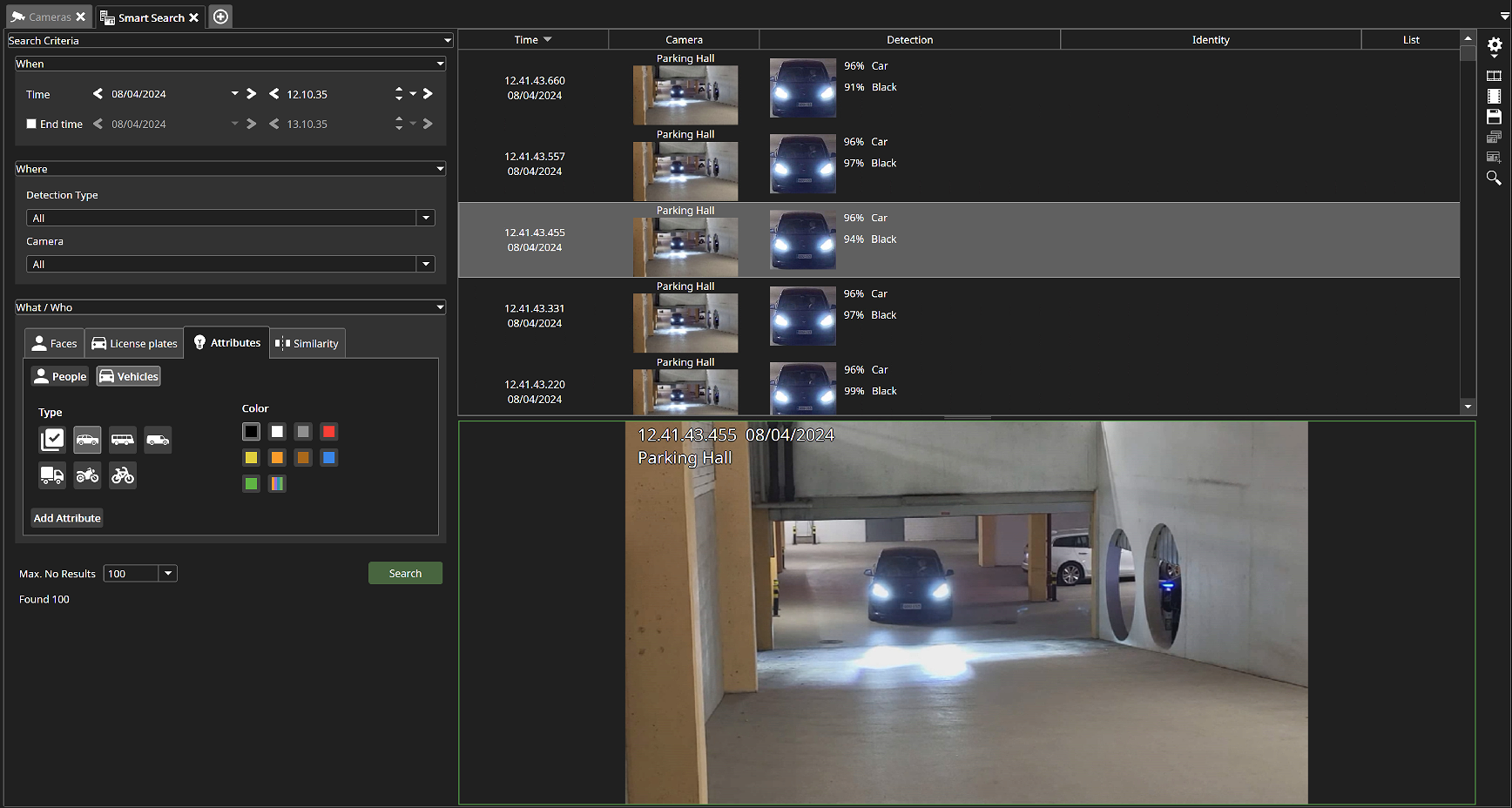
Search for vehicle types and colors using our Smart Search. When you select Attributes followed by Vehicles, you can select from 6 vehicle types for detection:
-
Car
-
Bus
-
Van
-
Truck
-
Motorcycle
-
Bicycle
For every attribute, except motorcycle and bicycle, the user can also select colors to search for:
-
Black
-
White
-
Gray
-
Blue
-
Green
-
Red
-
Orange
-
Yellow
-
Brown
-
Other*
*Other corresponds to colors not on the list and vehicles with multiple colors or patterns can also be found under others.
OR detection events for vehicles
-
Search the start time and optional search end time under the section When.
-
Select the service(s) you want to use under the section Where. This will filter out the cameras for which you have that service installed.
-
Select the camera(s).
-
Select to search for vehicle attributes.
-
Select the attributes you would like to search for. For vehicles, you can choose type of vehicle, and color(s). For example, search for a car that is both red and white.
-
Select the maximum number of results to display.
-
Click Search.
-
View the search results displaying the Time, Camera, Detection, Identity and List used.
-
Under settings, you can select the time added before and after detection.