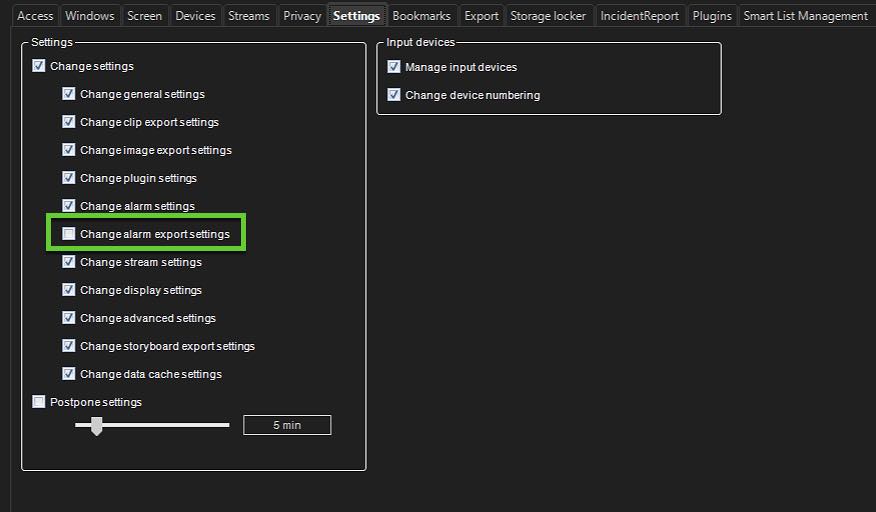
When system administrators enable and configure this feature, it is possible to directly export an alarm to a specific folder in Alarm Search from the Alarms table in Spotter.
-
Click the wrench icon under the User and User groups tab in the left-hand side menu to go to Edit user group, then click the wrench next to Mirasys Spotter Enterprise plus to go to the Spotter role Settings tab.
-
Tick the box for Change alarm export settings under Change settings.