Opening the Storage Locker
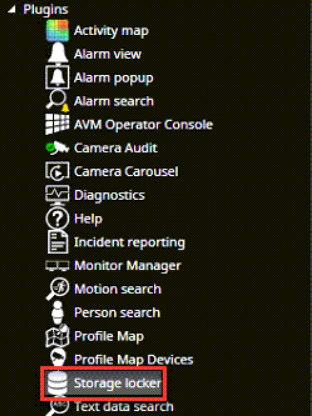
Open the Storage Locker from the device tree
Storage locker plugin can be used to
-
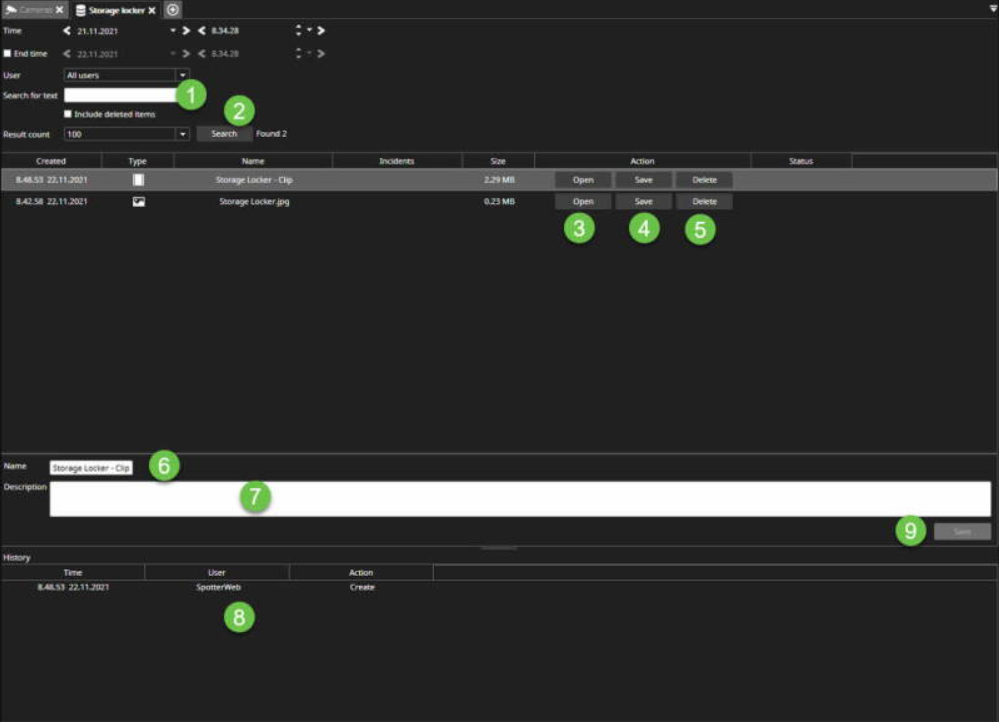
Search stored items
-
Open a selected picture, video clip or camera audit report PDF file for viewing
-
Save selected picture, video clip or camera audit report PDF file to disk
-
Delete selected storage locker item
-
Edit selected item's name and description
Searching the Storage Locker content
Searches user-specified text from Name, Description and Incident numbers fields
-
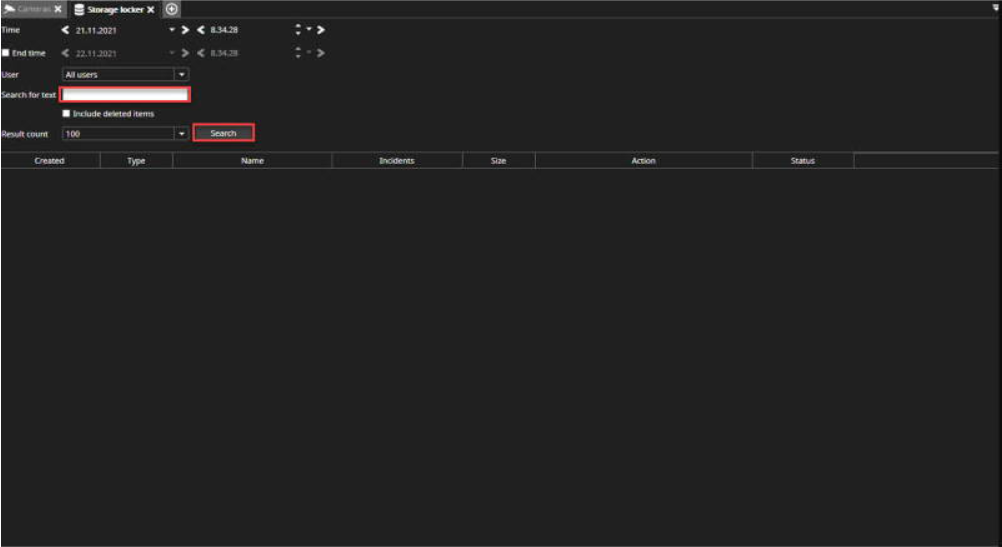
Enter free text to the Search for text field(text from Name, Description and Incident numbers fields)
-
Press Enter or Search
-
You can enter the Incident number, Name or Description
-
Start searching by clicking Search
-
Open: Open image, video clip or daily log
-
Save: Export content to the needed location
-
Delete: Delete the content
-
You can also change the name
-
Add a description
-
From the History area, you can see audit trail history
-
Click Save from the lower-left corner to finalize changes