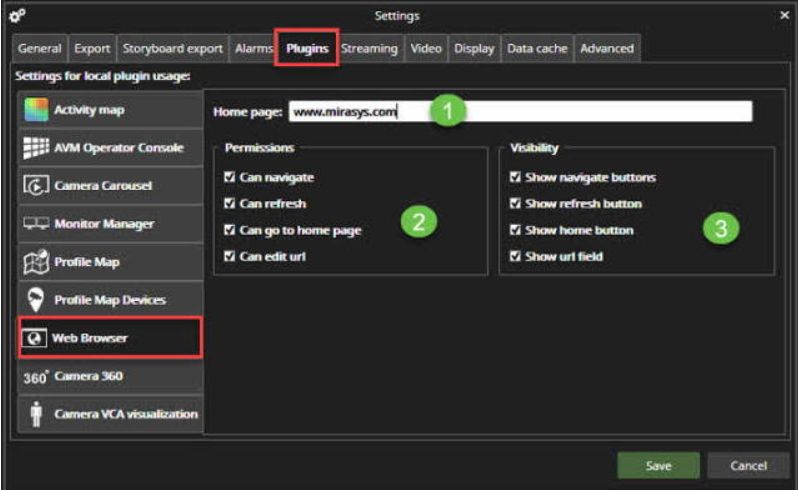
First, go to the File\Settings\Plugins\Web Browser
-
Set the Home page
-
Set the permissions for the browser
-
Set the visibility settings
-
Click Save to finalize changes
-
Go to the Plugins folder
-
Open Web Browser plugin


First, go to the File\Settings\Plugins\Web Browser
Set the Home page
Set the permissions for the browser
Set the visibility settings
Click Save to finalize changes
Go to the Plugins folder
Open Web Browser plugin