-
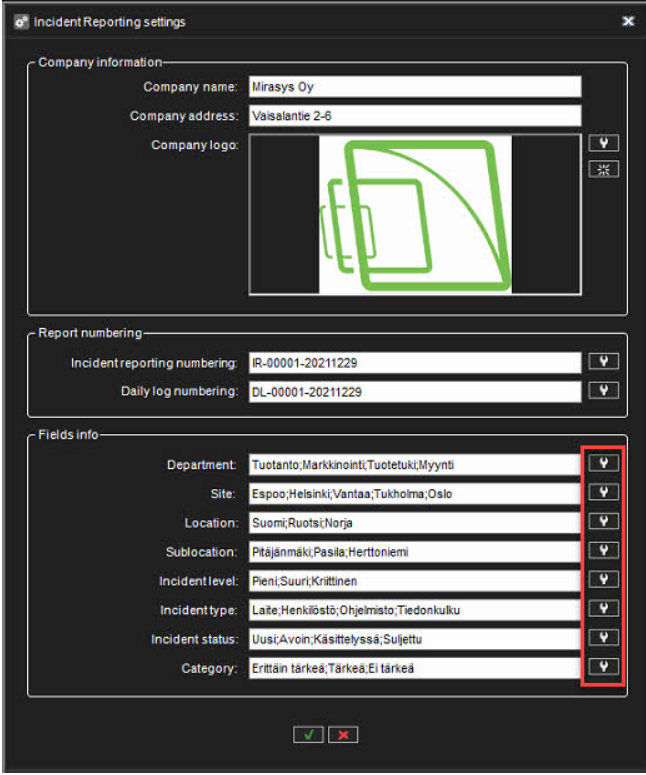
Select the correct field and click Update values
-
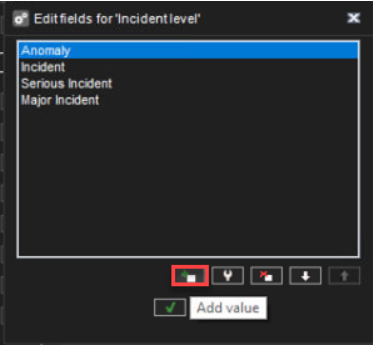
Click Add value
-
Enter the name of the value
-
Click OK

-
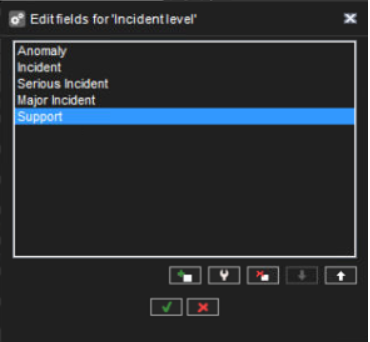
New added value can be seen in the list

Select the correct field and click Update values
Click Add value
Enter the name of the value
Click OK
New added value can be seen in the list