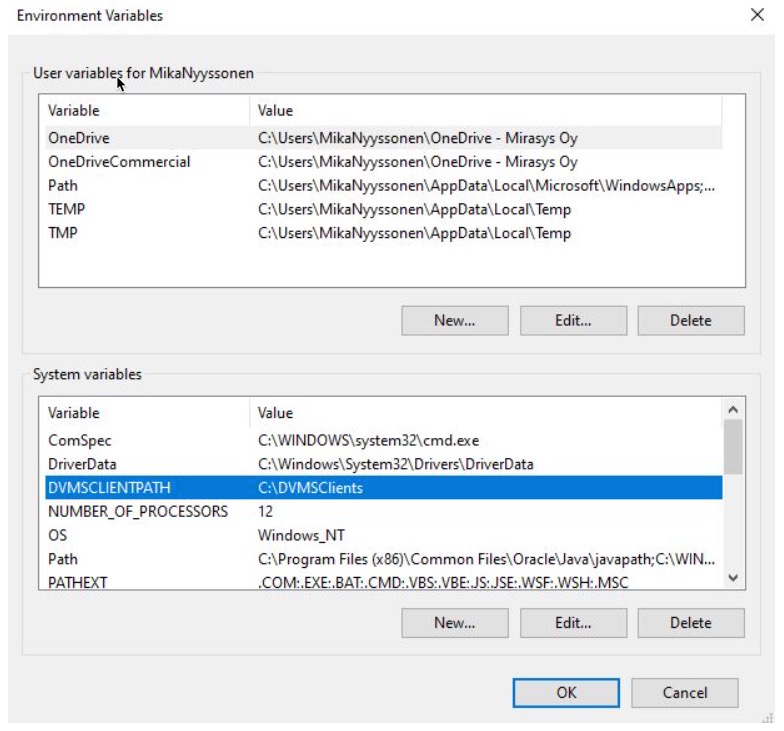
By default, VMS clients (Spotter, System Manager, System Monitor, Media Exporter, Media Exporter CA) use the working folder defined by the .NET framework particular folder for application data (Environment.SpecialFolder.ApplicationData). This folder is located under logged in Windows user folder: C:\Users\<WindowsUser>\AppData\Roaming\.
This VMS client folder can be changed by defining the Windows environment variable named "DVMSCLIENTPATH". If the folder is not defined by the environment variable or creating this folder fails, the default VMS client folder is used.