-
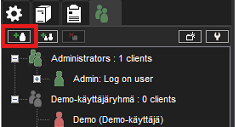
Go to System Manager > Users and User Groups
-
Click Add User
-
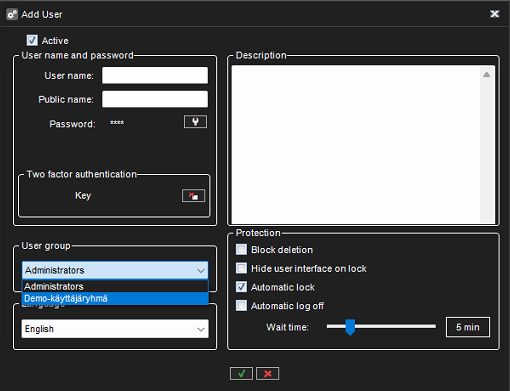
Enter the User name (the customer's login ID)
-
Enter the Password
-
Select the User Group (a user group previously created for the customer)
-
Confirm by clicking OK

Go to System Manager > Users and User Groups
Click Add User
Enter the User name (the customer's login ID)
Enter the Password
Select the User Group (a user group previously created for the customer)
Confirm by clicking OK