-
Go to VMS Servers > Cameras
-
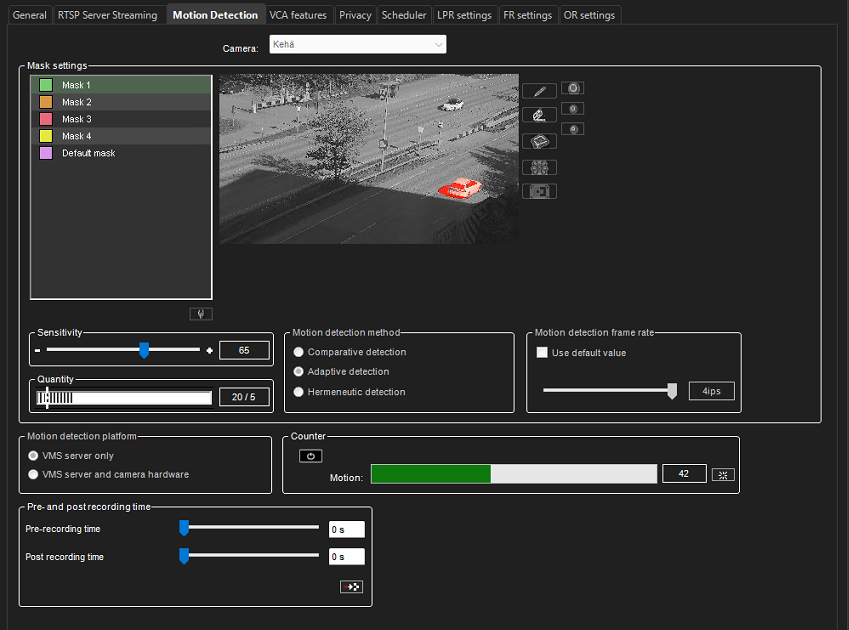
Go to the Motion Detection tab
-
Start the Counter
-
When the counter is active, the image window displays in red the areas where motion is detected.
-
When the Threshold (number of changed pixels) is exceeded, the Mirasys VMS software records. Default: 5%
-
By adjusting the sensitivity and threshold, each camera can be configured individually