The camera driver must support the Autosearch feature (see the Readme file in the camera driver ZIP package)
-
Select IP Camera Search
-
Select cameras from the list (SHIFT key) by highlighting them
-
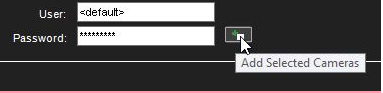
Enter the username and password
-
To add cameras, click Add selected cameras