
This page contains a description of calibrating and using the AXIS Q6000-E four-head camera with an AXIS Q60-E PTZ camera.
Camera calibration
AXIS Q6000-E is to be mounted on top of the AXIS Q60-E PTZ camera. When mounted correctly, a connection between the two cameras is established automatically. When both cameras are connected, they should be calibrated to work correctly. Calibration can be done using the AXIS Q6000-E camera’s web interface or using Axis Vapix commands as described here. To calibrate cameras using the web interface, complete the following steps:
-
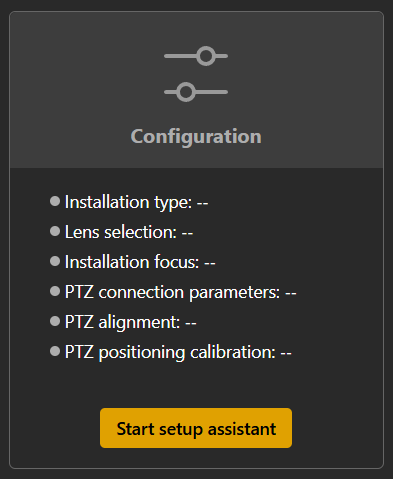
Open the AXIS Q6000-E camera web interface, go to the Status page, select Configuration, and press Start setup assistant:
-
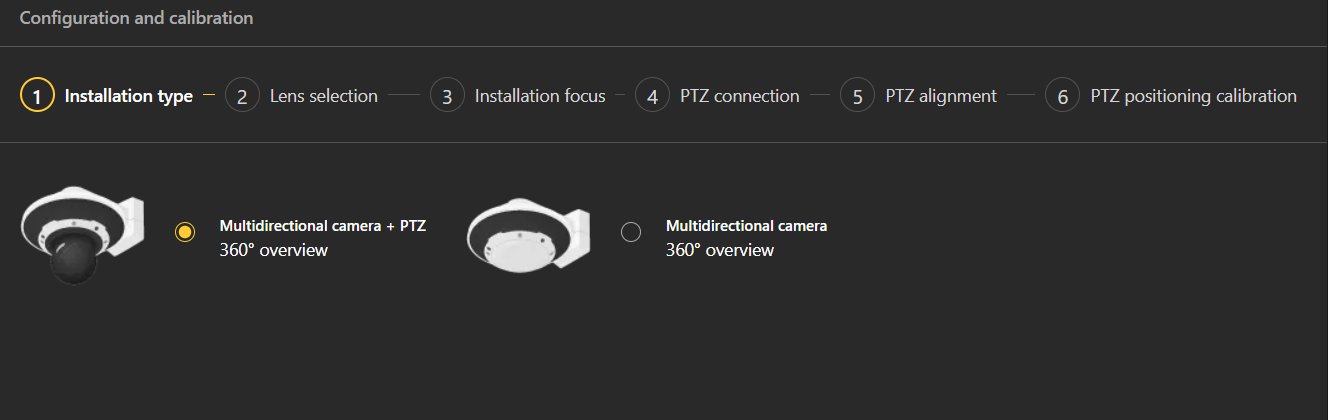
Select Multidirectional camera + 360° overview as Installation type:
-
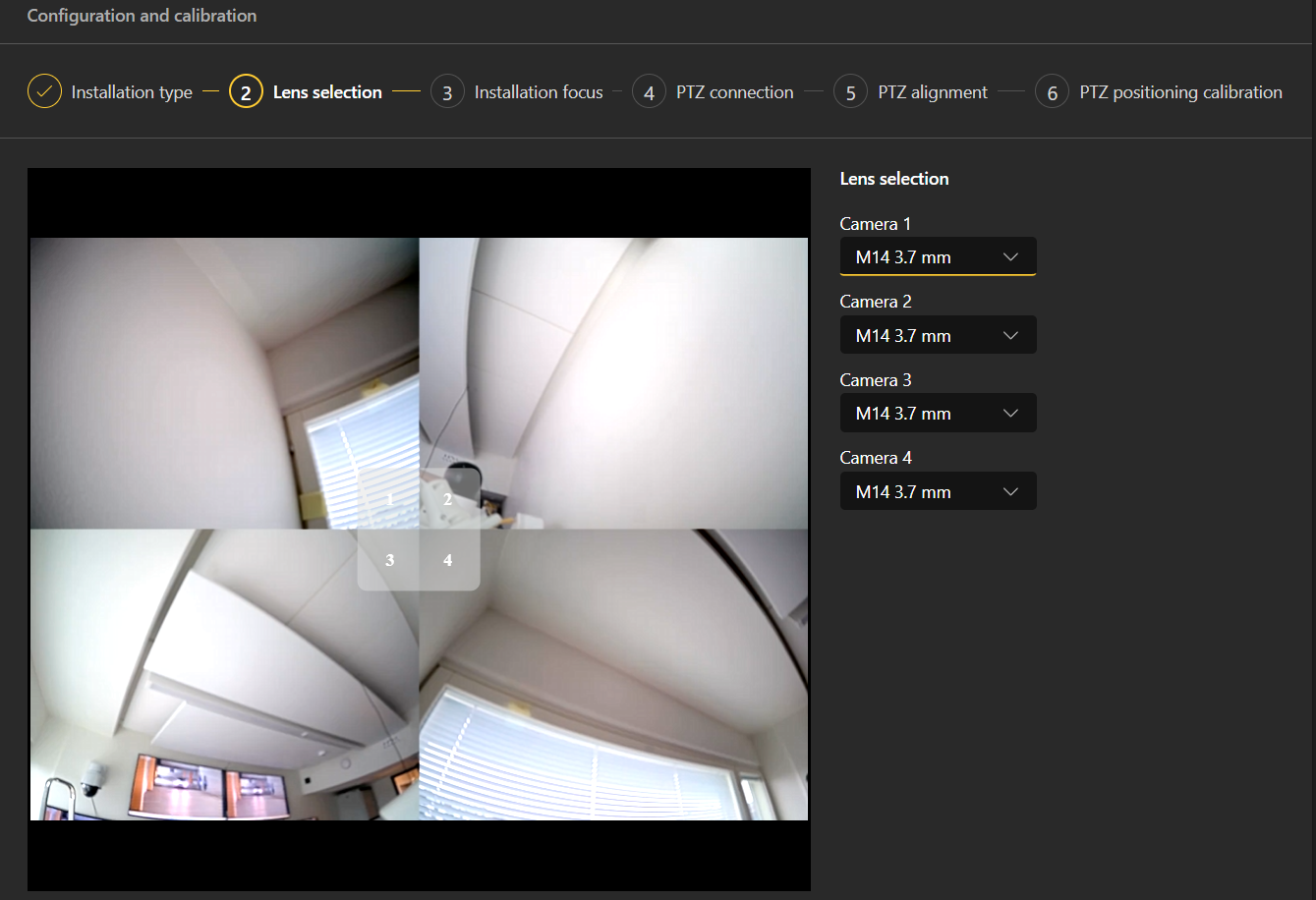
Select the correct lens type:
-
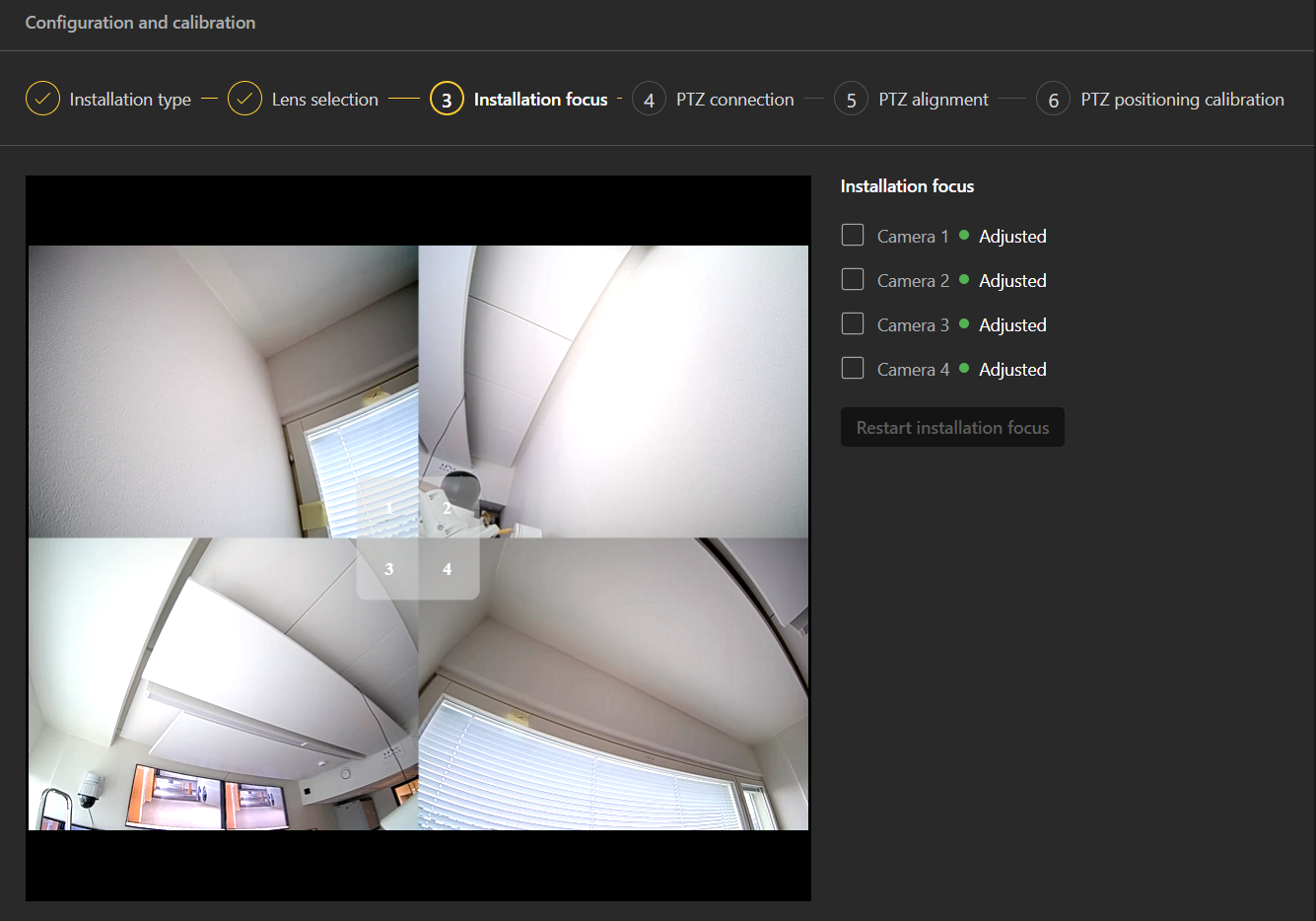
Adjust installation focus:
-
Provide connection details for the AXIS Q60-E PTZ camera and connect to it:
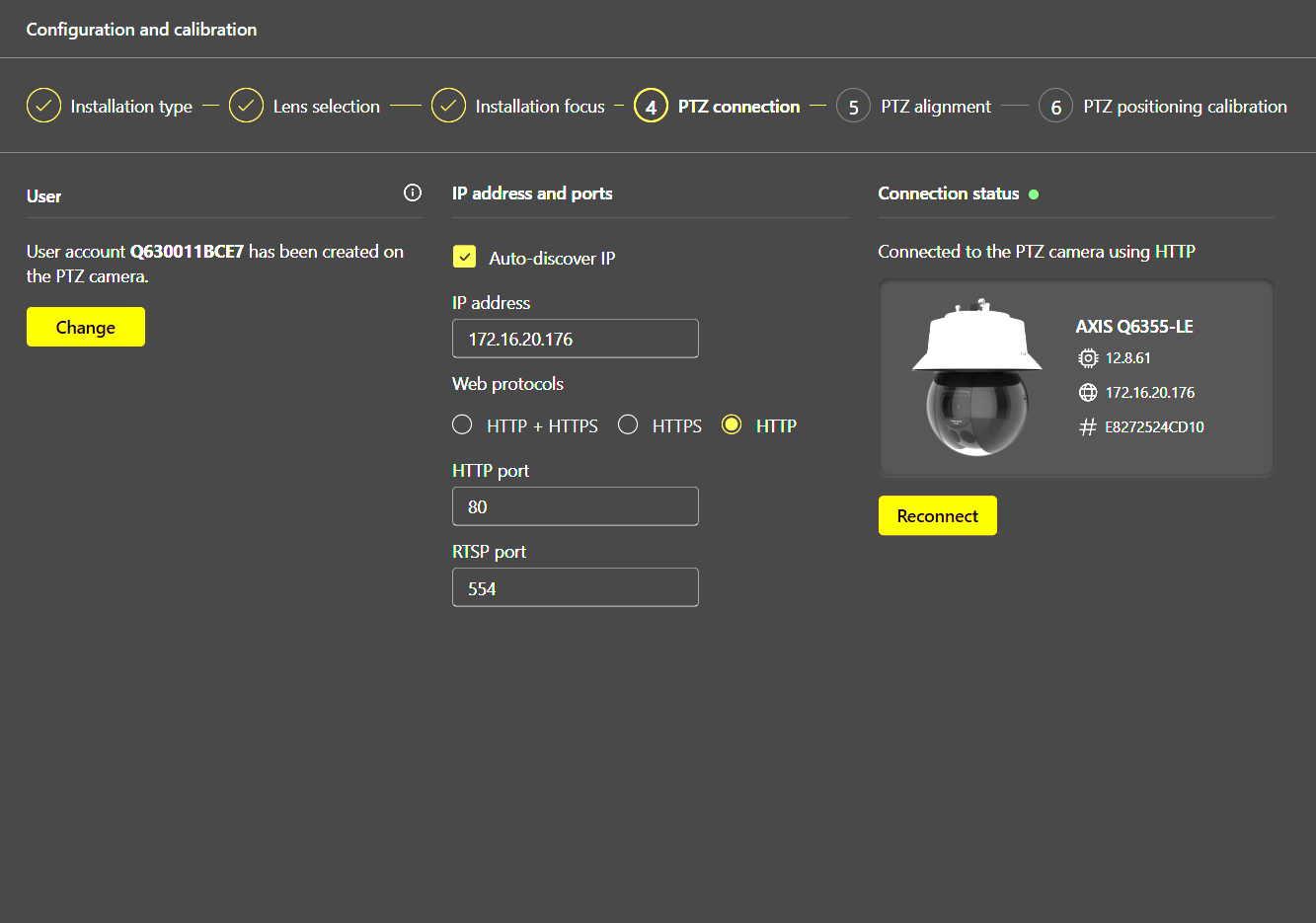
-
Configure the zero position for the PTZ camera:
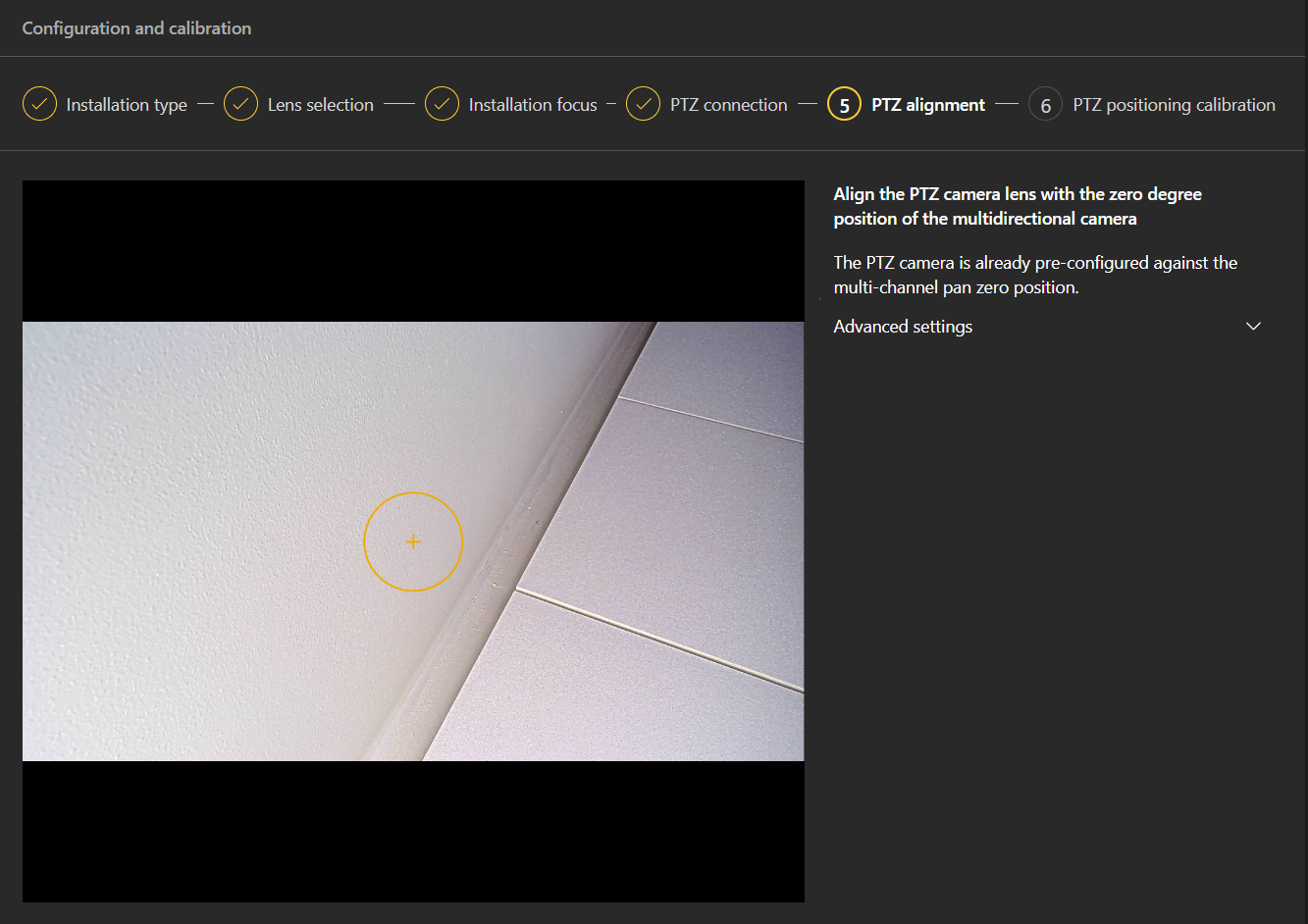
-
Complete the calibration:
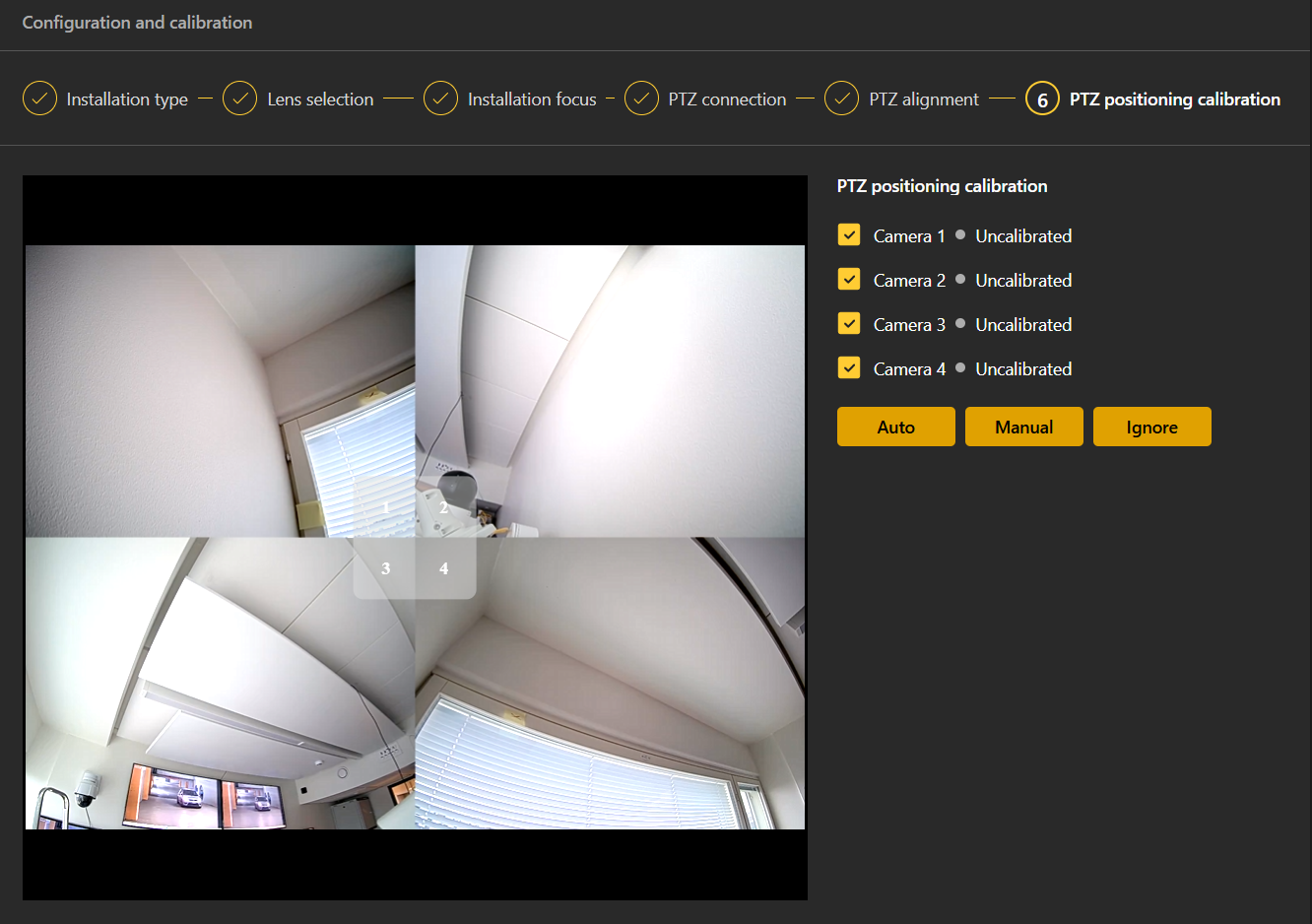
Manual calibration
If auto calibration is not working, manual calibration should be done, which can be started on the PTZ positioning calibration page (pressing the Manual button). The manual calibration window will open, where the position for each head must be calibrated. To do that, the user needs to set the point on the AXIS Q6000-E screen and then move the AXIS Q60-E PTZ to the same position:
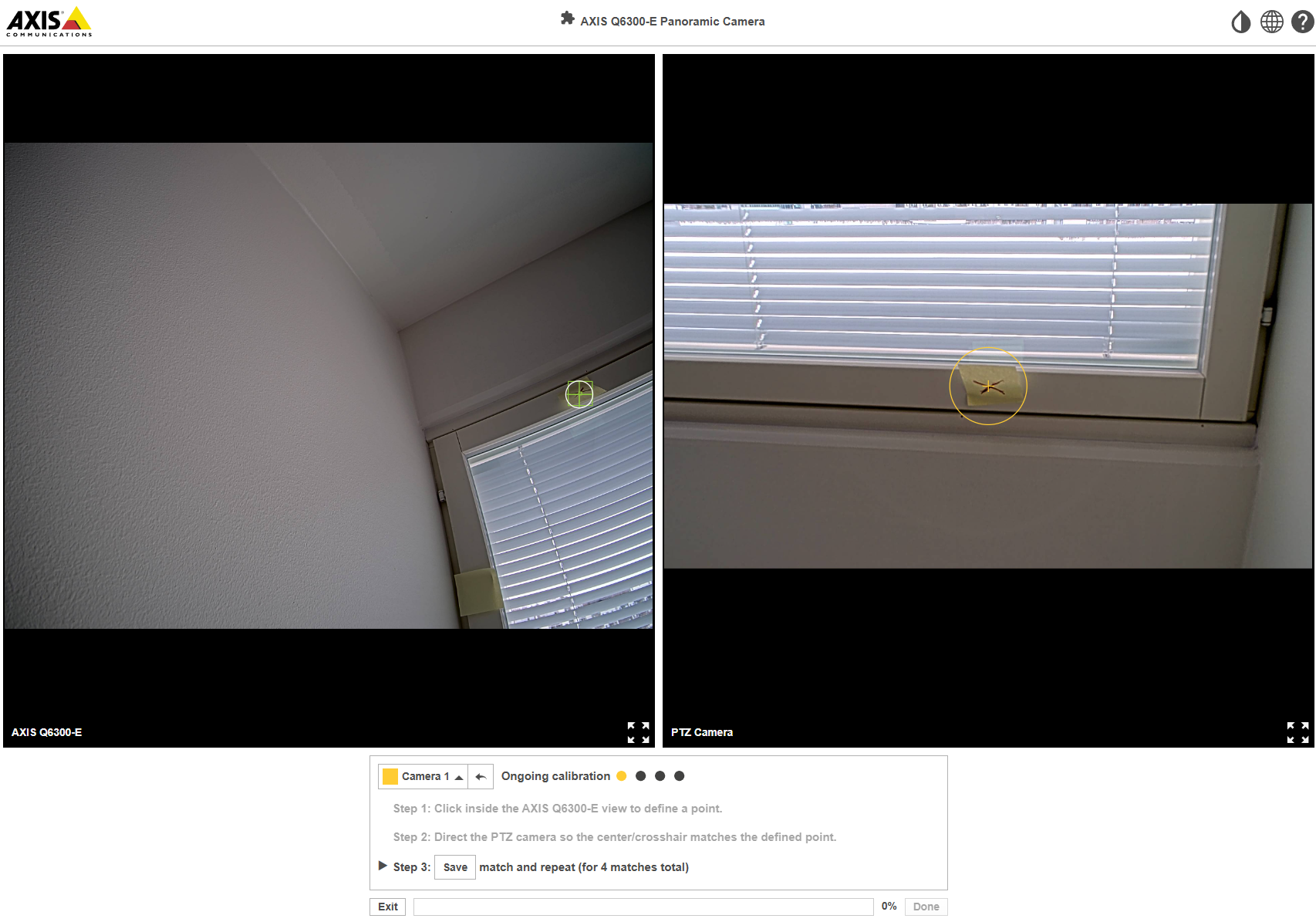
This should be done for at least 4 points for each head. If the system says that the calibration point is not correct, it is better to change the rotation settings from Auto to a specific value that should be similar for all heads for the AXIS Q6000-E camera.
Using the cameras in the Mirasys VMS
When cameras are calibrated, they can be used in the Mirasys VMS. To do that, both cameras should be added to the VMS server. The AXIS Q6000-E camera should be added as a 4-channel device, the AXIS Q60-E PTZ as a 1-channel device, and all channels will have PTZ support.
PTZ controls are available for any channel from the AXIS Q6000-E camera. PTZ commands are transferred to the AXIS Q60-E PTZ camera, which is moved according to the PTZ commands sent to the AXIS Q6000-E camera.
The following PTZ commands are supported: move, zoom, centering, and area zoom. Focus and Iris can be controlled for the AXIS Q60-E PTZ camera directly.